
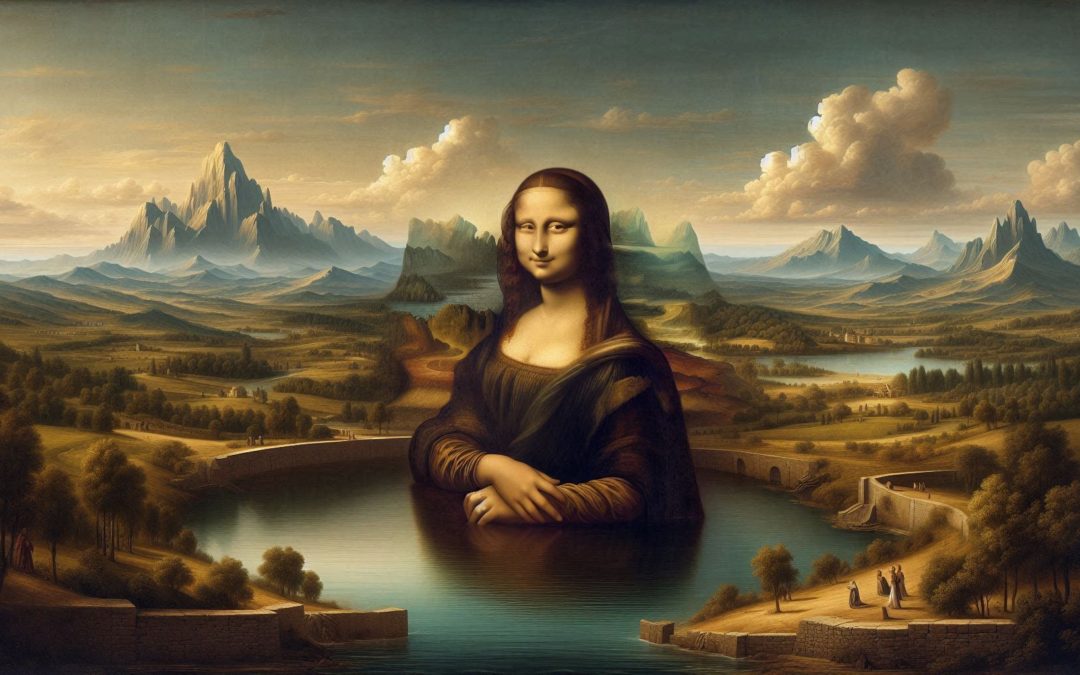
In the field of image editing, one of the most surprising advances that artificial intelligence (AI) has brought with it is “uncrop.”
This term refers to the ability to expand an image beyond its original limits, creating new visual elements that integrate perfectly with the existing image.
Thanks to AI algorithms, this technique has evolved to become an essential tool for photographers, artists and e-commerce professionals.
Below, we will explore in detail what AI uncrop is, how it works, and what are the best free tools available in 2024 to accomplish this task.
What is AI uncrop?
AI uncrop, also known as “image extension” or “outpainting”, consists of using artificial intelligence algorithms to generate additional content in an image, which is added beyond its original edges.
Unlike simple resizes, which stretch or crop an image, AI uncrop generates new content.
This content may include landscape elements, textures, and other details that fit perfectly with the style and context of the original image. The result is a natural and coherent expansion, which seems to have been part of the photo from the beginning.
This technique is especially useful for recovering original proportions, changing aspect ratios or adapting images to various formats without losing quality.
Among the most common uses are creating content for social networks, adapting photographs for e-commerce or even improving creative projects.
How does AI uncrop work?
The AI uncrop process is based on advanced machine learning algorithms that analyze the patterns, colors and textures of the original image to predict what the missing or extended part should look like.
Although each tool may vary in the exact way it performs the process, the general steps are as follows:
Analysis of the original image
The AI system scans the provided image, identifying patterns, textures, colors and other key details.
Missing content prediction
From the initial analysis, the AI predicts what should be in the areas beyond the edge of the image, based on information from the original image.
If, for example, the image is of a landscape, the AI can generate mountains, sky or vegetation that matches what is already present.
Generation of new content
Once the prediction is made, the algorithms generate the new content and integrate it with the original image.
This is done in such a way that the new areas merge naturally, avoiding a noticeable difference between the old parts and the newly created ones.
Delivery of the final result
Finally, the expanded image is ready to download and use. Depending on the tool, the user may have options to adjust the size, aspect ratio, or even guide the process through textual prompts.
The use of AI allows this process to be surprisingly fast and efficient, making it possible to create precise expansions in a matter of minutes.
Free Uncrop Tools with AI
We present you a list of some of the best free tools available for uncropping with AI. In most cases, the number of free credits to expand images is limited, as a test.
These platforms offer different functionalities and levels of customization, adapting to the needs of various users, from photographers and designers to content creators on social networks.
Photo.AI
Phot.AI includes an excellent tool for extending images using AI, which is accessible with the free plan. Phot.AI analyzes patterns, textures, and colors to generate natural-looking extensions.
It offers many outpainting possibilities, allowing users to expand landscapes, portraits and more with great precision.
It stands out for its high precision in image extension, adaptability to different formats. And it is ideal for high-quality creative and visual projects.
Picsart
Picsart offers an uncrop tool called AI Image Extender. This is ideal for adjusting aspect ratios (ratio) without losing quality, using AI to fill in missing parts of the image in a natural and fluid way.
This tool is perfect for quick edits and enhancing images for social media. It is easy to use and the results are fast, making it ideal for last-minute adjustments and content for social networks.
###Canvas
Known for being a versatile graphic design tool, Canva also includes a powerful AI-based image extender. It allows users to enlarge images and adjust them to different dimensions without compromising the visual integrity of the original image.
Like many of Canva’s tools, it is very easy to use, offers multiple templates and customization options. It’s ideal for marketing professionals, graphic designers, and beginner users with a Canva-centric workflow.
###Runway
Best known for its video creation tools, Runway also allows photo uncropping within its AI Magic Tools. This one stands out for using text prompts to guide the uncrop process.
This means that users can give specific instructions on how they want the image to expand, making it an incredibly versatile tool for artists and designers.
The clear advantage for Runway is not only in this text control, but in the use of advanced algorithms. This makes it ideal for artistic projects and creative designs.
Uncrop.org
Uncrop.org has gained popularity for being a free platform that offers high-quality image expansion results.
It uses AI to predict and generate additional content naturally, adapting to a variety of uses, from personal photos to e-commerce product images.
Free access, intuitive interface, compatibility with multiple devices are its strong points. Which makes it ideal for photographers, digital artists and e-commerce.
Advanced editing available to everyone
AI uncrop has revolutionized the way we approach image resizing and stretching. The ease of use allows users to enlarge their images easily, quickly and effectively, delivering results that integrate seamlessly with the original content.
What was once within the reach of “Photoshop wizards” is now easy for anyone interested. In addition to being accessible, many of these platforms offer free or trial versions, democratizing access to these advanced editing technologies.
Whether you’re a photographer, content creator, or e-commerce professional, these tools offer you a new way to expand your creative possibilities and optimize the visual presentation of your images.
This post is also available in: