
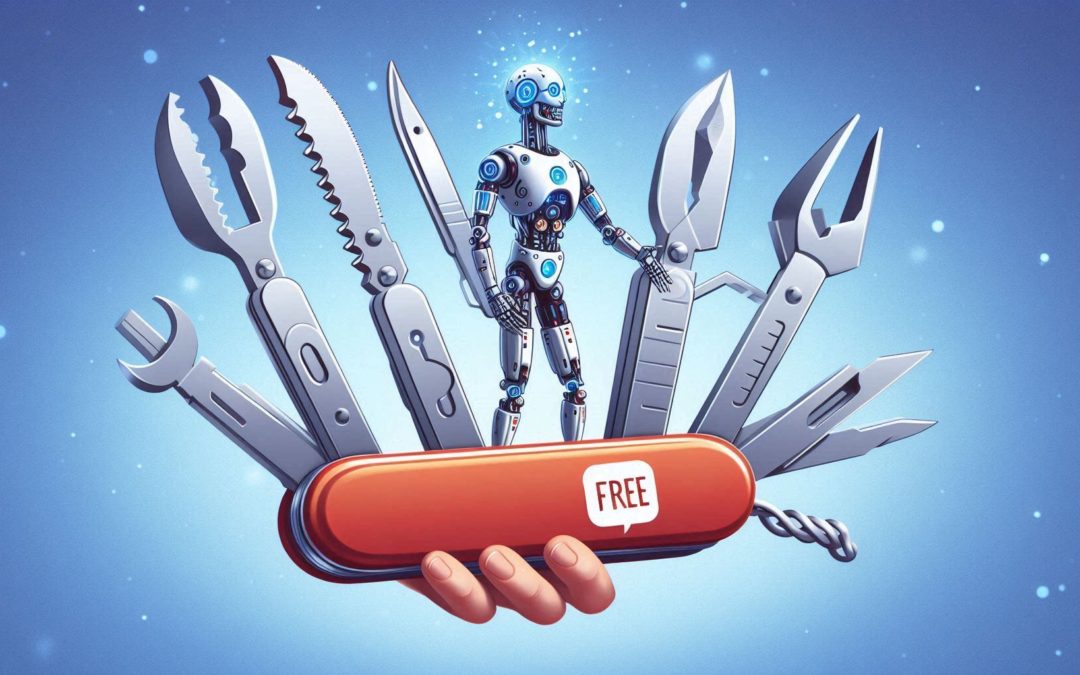
It is impossible not to notice the growing impact of artificial intelligence on our lives. In the last year, we have made so much progress with AI tools that they have become an indispensable part of our daily routine.
Although the most popular AI tools currently are Open AI’s ChatGPT, Google Gemini, and Microsoft Copilot, there are many others that can significantly increase your productivity.
Some of these tools have become the most important assistants for marketing teams, such as video creators or AI image generators. Others can help us be more efficient in our daily tasks.
If you’re looking for a free AI tool to help improve productivity and perhaps add a touch of fun, you’ve come to the right place. Here you will find the 8 best free AI tools available today.
Microsoft Designer: Create free designs by AI
Microsoft Designer is an authoring tool that incorporates imaging with DALL-E 2. It is designed to make it easy to create attractive graphics for social media and other uses, even for those without professional design experience.
This free tool is aimed at facilitating content creation for personal branding and content creation, rather than corporate work.
Microsoft Designer Key Features
- Creation of AI Generated Art: Facilitates the generation of graphics from textual descriptions, simplifying the design process.
- Free AI tool (with limitations). More features are included with any Microsoft 365 plan.
- Simple and intuitive interface: The Microsoft Designer interface is clean and light, with contextual tools and Copilot suggestions to guide the user.
Advantages of Microsoft Designer
The main advantage of Microsoft Designer is its integration of DALL-E 2, which allows image generation using artificial intelligence. On the other hand, it is an easy-to-use tool for beginners, due to its intuitive interface.
As an added bonus, a wide variety of templates are included that can be adjusted according to the user’s needs.
Disadvantages of Microsoft Designer
The main disadvantage of Microsoft Designer is that it offers fewer options compared to other design tools (such as Canva or Adobe Express). Additionally, it does not have support for collaboration, so it does not allow multiple users to work on a design simultaneously.
ClickUp: Task management and collaboration with AI
ClickUp is a work management application that combines task management with document collaboration, making each task assignable and tracked from one document.
In addition, it has integrated AI tools to create texts, summarize tasks and generate subtasks, among others. This integration is especially useful for small and medium-sized teams that work intensively with documents and content.
ClickUp Key Features
- Free plan that includes 100MB of storage, unlimited tasks, three whiteboards, real-time chat, native integrations and 100 automations per month.
- Automations and integrations: Offers multiple options to automate tasks and connect with cloud services (such as Box and Google Drive)
- Document collaboration with task management: Allows you to assign documents to tasks for effective project monitoring.
Advantages of ClickUp
The main advantage of ClickUp is the variety of functions integrated into a free product, although there are (paid) plans with more features. Furthermore, its interface is intuitive and visually attractive, despite the immense number of tools.
Document collaboration is optimally integrated to improve workflow and has a wide range of AI automations, making it easy to connect all tools in an intuitive workflow.
Disadvantages of ClickUp
The main disadvantage of ClickUp is that it cannot replace dedicated tools like Slack or Microsoft Teams when it comes to collaboration. Additionally, we consider that AI functions are not fully developed.
Rytr: Text generation with AI
Do you use ChatGPT or Copilot to generate texts for your business? It’s not bad, but it could be even better. Rytr is an affordable and easy-to-use AI-assisted writing tool that offers over 40 use cases for generating a wide range of content.
These include social media posts, blogs, website copy, professional emails, and product descriptions. Rytr stands out for delivering plagiarism-free and SEO-optimized content.
Key Features of Rytr
- Variety of content that can be generated: Rytr can generate landing pages, copy for websites, newsletters, product descriptions, SEO and meta descriptions, ideas for videos, among others.
- Ability to create custom use cases, such as email responses and speech generators.
- Message Tones: Rytr offers a variety of message tones (casual, enthusiastic, inspirational, etc.). Although this option is only available in paid plans.
- Various editing options: Allows you to change the tone of the text, improve it, expand it, shorten it or insert a new paragraph.
Advantages of Rytr
The existence of a free plan (forever, not just a trial) is certainly the main advantage of Rytr. It is also very simple to use, as it has a very gentle learning curve, even for beginners.
Disadvantages of Rytr
The main disadvantage of Rytr is that you can only generate 10,000 characters per month on the free plan, and you cannot choose the tone of the message. Additionally, it does not include pre-designed templates, unlike some of its competitors like Copy AI.
Another important limitation of the free plan is that you can only generate content in the English language. Although the following free AI tool can help you in this case.
DeepL Translator: Optimize your translations for free with AI
DeepL is an advanced machine translation tool that stands out for its precision and speed. It uses technology based on deep neural networks to offer more natural and contextual translations than other similar services.
DeepL is a powerful and accessible option for those looking for fast and accurate translations. In most cases, translations with DeepL are more accurate and better rated than those made with Google Translator.
Key Features of DeepL Translator
- Available on many platforms: DeepL can be accessed through its web interface, but also with desktop and mobile applications. It also has an API that facilitates integration into different workflows.
- Instant translation: With just copy and paste, get fast and accurate translations in multiple languages.
- Document support: You can upload files in PDF, DOCX or PPTX formats to translate complete documents.
Advantages of DeepL Translator
The main advantage of DeepL is being recognized for its translation accuracy, DeepL outperforms many competitors, including Google Translate, especially in understanding context and naturalness of language.
Of course, it is also very easy to use, as it does not require prior learning. But if you’re an advanced user, it can be easily integrated into complex translation workflows using its API, making it easy to use on websites, apps, and enterprise systems.
Disadvantages of DeepL
DeepL lacks translation memory and style guides, which are essential for efficiently managing large volumes of translated content. Furthermore, DeepL does not always capture the specific style and voice required for high-visibility marketing content.
Perplexity AI: Free search and research with AI
Perplexity AI is a search engine and research assistant that uses AI to answer queries. Aren’t you impressed? Well, the main difference compared to asking Gemini or Copilot is that Perplexity does not hallucinate.
The highlight of Perplexity AI is its ability to provide answers supported by references and its focus on factual accuracy, without generating fictional content.
Key Features of Perplexity AI
- Allows queries in natural language and provides summarized answers directly related to the question asked.
- The answers include citations and references that allow the information provided to be verified, ensuring the reliability of the results obtained.
- Perplexity is constantly updated with the latest information from sources such as Bing, Wikipedia, Reddit and YouTube, among others.
Advantages of Perplexity AI
The main advantage of Perplexity AI is its accuracy and reliability, offering precise answers backed by multiple references, ideal for investigations and queries that require verified data. In addition, its interface facilitates efficient use without additional complications.
Another advantage is that it integrates several language models, such as GPT-4 and Mistral Large, into a single tool, which improves the quality and variety of responses. Constantly updating also ensures that answers are always current and relevant.
Disadvantages of Perplexity AI
The main disadvantage of Perplexity AI is that content creation is not its forte. Perplexity is focused on providing factual information and is not ideal for creating creative content without reference.
On the other hand, although it allows generating images related to searches, the user does not have direct control over the specific type of image that will be generated. This option, and many other advanced features, require a subscription to the Pro plan.
And we have come this far. All of the free AI tools we’ve reviewed are playing a crucial role in democratizing access to AI, leveling the playing field in each of its areas.
Not only is this making AI capabilities more accessible, it is also transforming the way we interact with technology in our daily lives. We hope you can get the most out of each of them.
This post is also available in: